Before You Cancel ChatGPT: One Crucial Step Most Users Miss
Before you cancel ChatGPT, experts warn that skipping one simple step could mean losing years of conversations, ideas, and AI-generated work forever.
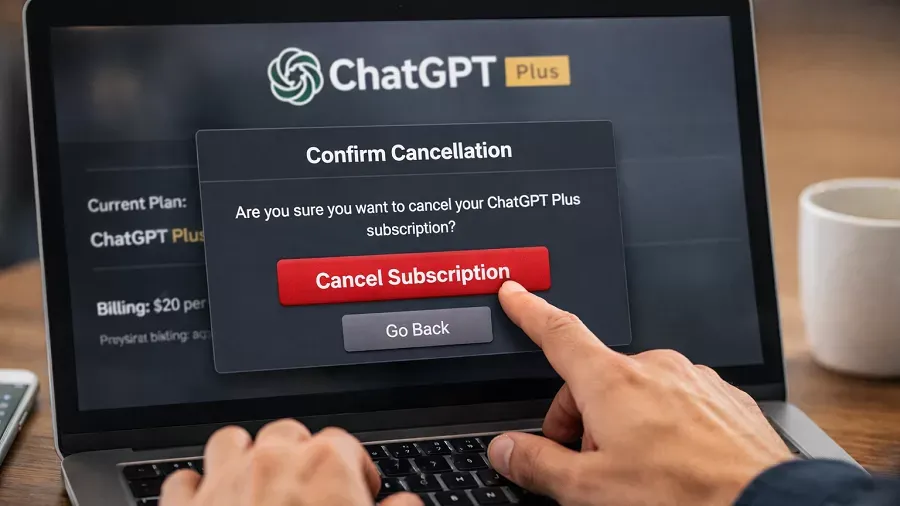
What happens to your data when you cancel ChatGPT? Many users never think about it until it is too late.
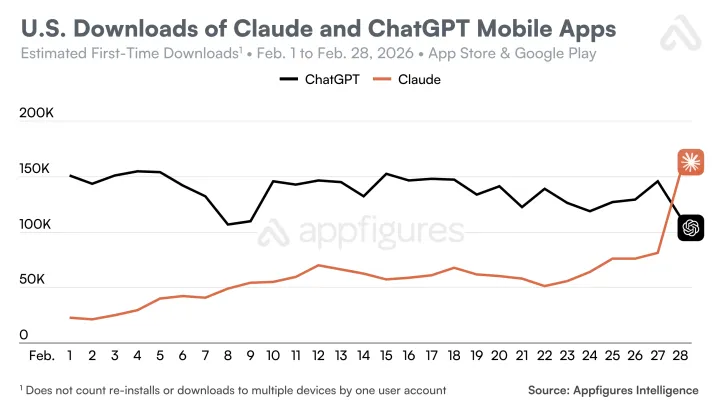
In recent months, a growing number of people have explored alternatives to OpenAI’s chatbot. Some are switching to competitors like Claude or Gemini, while others are simply reducing their reliance on generative AI. According to reports highlighted by Forbes, more than 1.5 million users have reportedly left ChatGPT during recent boycott campaigns.
But before you cancel ChatGPT, there is one important step experts recommend: download your data first.
If you skip this step, years of conversations, prompts, and saved information could disappear permanently.
Why You Should Export Your ChatGPT Data
When people cancel ChatGPT, they often assume their conversation history will remain accessible. In reality, account deletion or subscription cancellation can lead to lost access to stored chats and generated content.
Exporting your data allows you to keep:
- Past conversations
- Research notes and prompts
- Generated code or writing
- Personal workflows built around AI
For many professionals, ChatGPT chats function like a searchable knowledge base. Losing them can mean losing valuable work.
Downloading your data ensures you retain control of information you created with the AI.
How to Download Your ChatGPT Data Before You Cancel ChatGPT
The process is relatively simple and takes only a few minutes.
Here is the typical workflow:
- Open ChatGPT Settings
- Navigate to Data Controls
- Select Export Data
- Confirm the request via email
- Download the data archive when it arrives
The exported file usually includes conversation history and related account information.
For users who rely heavily on ChatGPT for work or research, this archive can become an important reference library.
What Happens After You Cancel ChatGPT
Canceling a paid subscription typically stops billing but does not automatically delete the account. However, if a user later chooses to delete their account entirely, their stored conversations may be permanently removed.
That is why exporting data before you cancel ChatGPT is strongly recommended.
AI tools increasingly function as digital collaborators. The information created during those interactions can be surprisingly valuable months or even years later.
The Bigger Lesson About AI Platforms
The advice to export your data before you cancel ChatGPT reflects a broader trend in the AI industry.
Generative AI platforms are becoming long term productivity tools. People now store ideas, business strategies, coding experiments, and creative drafts inside chat interfaces.
That raises questions about:
- Data portability
- Platform lock in
- Ownership of AI generated content
Experts increasingly recommend treating AI platforms the same way you would treat cloud storage. Always keep a local copy of important material.
Conclusion
If you plan to cancel ChatGPT, do not rush through the process.
Take a few minutes to export your data first. That simple step ensures your conversations, ideas, and work remain accessible even if you move to another AI platform.
In an era where AI tools are becoming personal knowledge assistants, protecting your digital history is just as important as choosing the right platform.
Fast Facts: Cancel ChatGPT Explained
Why should you export data before you cancel ChatGPT?
Before you cancel ChatGPT, exporting your data preserves conversations, prompts, and AI generated work. Without a backup, valuable information stored in chats could become inaccessible if your account is deleted.
Does canceling ChatGPT delete your conversations?
Canceling a subscription does not always delete chats immediately. However, if you later delete your account after you cancel ChatGPT, conversation history and stored data may be permanently removed.
What data can you download before you cancel ChatGPT?
Before you cancel ChatGPT, you can export conversation history, prompts, and account details through the data export feature. The downloaded archive allows you to keep a personal copy of your AI interactions.