Firefox 148 AI Kill Switch Puts Users Back in Control
Mozilla’s new Firefox 148 AI kill switch gives users a rare power in today’s AI race: the ability to simply say no.
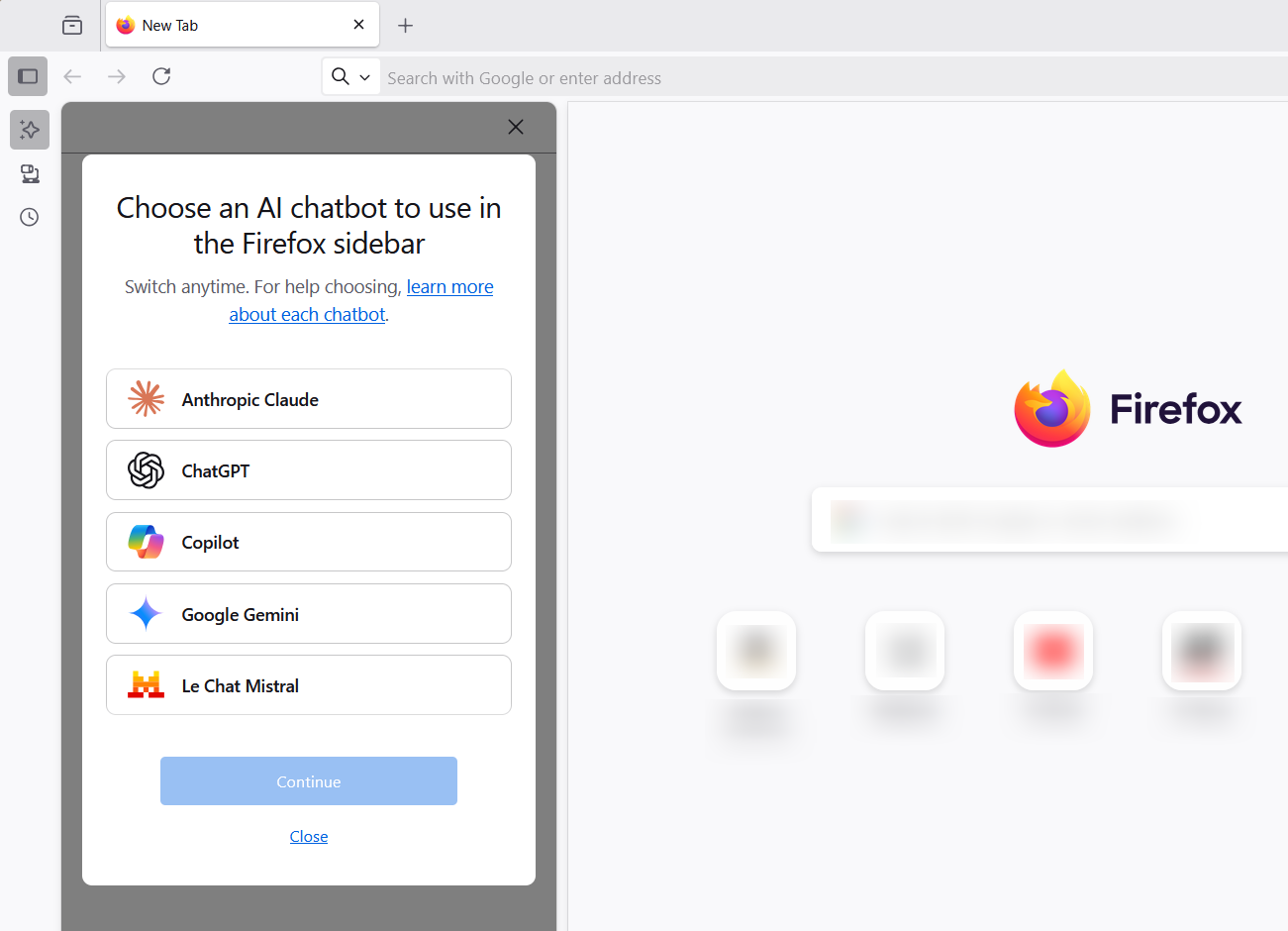
What if your browser quietly adopted AI features you never asked for? With growing backlash against built-in AI tools, Mozilla has introduced a decisive response. Firefox 148 AI kill switch is now live, giving users a clear way to turn off AI-powered features in the browser.
At a time when companies like OpenAI and Google are racing to integrate large language models into everyday software, Mozilla is taking a different path. It is betting that user trust and transparency matter more than hype.
Why Mozilla Added the Firefox 148 AI Kill Switch
Over the past year, AI assistants have appeared inside browsers, search engines, and productivity apps. While some users appreciate built-in summaries and chatbots, others worry about privacy, performance overhead, or unnecessary features.
Mozilla’s decision reflects this divide.
The Firefox 148 AI kill switch allows users to fully disable AI-related integrations in the browser settings. This includes experimental AI-powered sidebar tools and any related background functionality.
Mozilla has consistently positioned itself as a privacy-first alternative to dominant browsers like Google Chrome. According to Mozilla’s public privacy principles, the company emphasizes user agency and minimal data collection. Offering a kill switch aligns with that long-standing philosophy.
How the Firefox 148 AI Kill Switch Works
The Firefox 148 AI kill switch is accessible through browser settings. Users can disable AI features without digging into advanced configuration pages.
Previously, some AI experiments were optional but not centrally controllable. Now, users can:
- Turn off AI-based sidebar tools
- Prevent AI-related experiments from activating
- Maintain a more traditional browsing experience
Importantly, this is not a partial toggle. The kill switch is designed to stop AI functionality at a broader level, reducing background integrations that some users find intrusive.
A Broader Debate About AI in Browsers
The release of the Firefox 148 AI kill switch highlights a growing industry tension.
Companies like Microsoft have embedded AI into Edge, while Google is expanding generative AI in Chrome and Search. According to industry reporting from MIT Technology Review and public announcements by major AI labs, browser-based AI is seen as the next battleground.
But critics argue that forced AI integration can erode trust. Concerns include:
- Data privacy and telemetry
- Increased resource consumption
- Feature bloat
Mozilla’s approach offers contrast. Instead of assuming AI is universally welcome, it provides opt-out control upfront.
What This Means for Everyday Users
For casual users, the Firefox 148 AI kill switch offers simplicity. If AI tools are helpful, keep them on. If not, turn them off in seconds.
For privacy-conscious users, it signals something larger. It reinforces the idea that AI should be permission-based, not default.
This move may also influence competitors. If users begin demanding clearer opt-out mechanisms, other browser makers could face pressure to follow suit.
The Strategic Signal from Mozilla
Mozilla is not rejecting AI outright. The organization continues to experiment with AI-driven features and has publicly supported responsible AI development.
However, by shipping the Firefox 148 AI kill switch, Mozilla is making a strategic statement. Innovation should not override user choice.
In a landscape dominated by AI enthusiasm, offering restraint may be its own competitive advantage.
Conclusion
The Firefox 148 AI kill switch is more than a settings toggle. It is a reflection of a broader shift in how technology companies balance innovation with autonomy.
As AI becomes embedded in everyday tools, the real differentiator may not be who builds the smartest features, but who gives users the clearest control.
Fast Facts: Firefox 148 AI Kill Switch Explained
What is the Firefox 148 AI kill switch?
The Firefox 148 AI kill switch is a browser setting that lets users completely disable AI-powered features, including experimental tools and sidebar integrations.
What does the Firefox 148 AI kill switch actually turn off?
The Firefox 148 AI kill switch disables built-in AI tools and related background functionality so users can browse without AI assistance.
Are there limitations to the Firefox 148 AI kill switch?
The Firefox 148 AI kill switch only affects Firefox’s internal AI features and does not block AI content on websites you visit.