Microsoft Integrating AI Copilots Deeper Into Windows Core Features
Microsoft is quietly reshaping Windows by embedding AI copilots into core system functions. This shift could redefine how users interact with their PCs, but it also raises questions about control, privacy, and dependence.
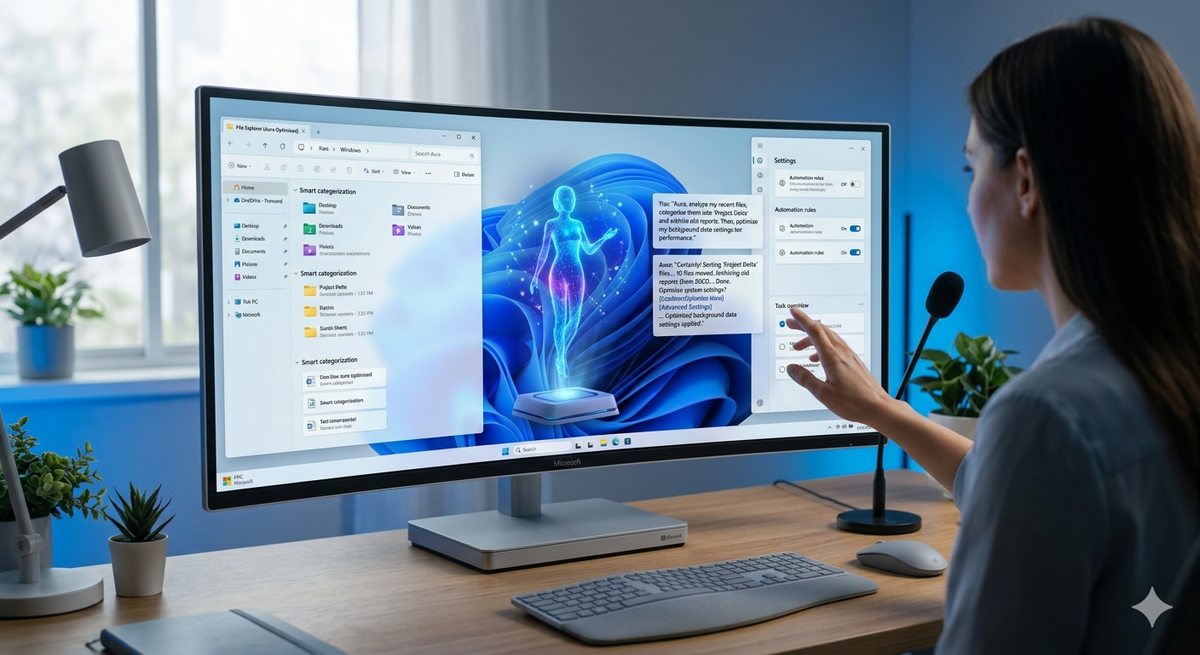
What if your operating system stopped waiting for commands and started acting on intent? That is the shift underway as Microsoft pushes AI deeper into Windows. The move toward Microsoft integrating AI copilots deeper into Windows core features is transforming how users interact with their PCs, turning the OS into an active participant rather than a passive tool.
A New Layer Inside Windows
AI copilots are no longer limited to a sidebar or optional feature. Microsoft is embedding them into core system functions such as file management, settings, notifications, and search. This allows users to perform tasks using natural language instead of navigating menus.
In recent Windows updates and developer previews, Copilot is evolving into a central interface. Users can request actions like organizing files, adjusting system preferences, or summarizing content without switching between apps.
Microsoft Integrating AI Copilots Deeper Into Windows Core Features
The strategy of Microsoft integrating AI copilots deeper into Windows core features is about reducing friction. Instead of learning system workflows, users describe what they want. The AI interprets intent and executes tasks.
- Search becomes conversational and context-aware
- System settings can be adjusted through simple prompts
- Routine actions can be automated without technical knowledge
This approach lowers the barrier for less technical users while speeding up workflows for experienced ones.
Productivity Gains and Skill Tradeoffs
Embedding AI at the OS level has clear benefits. Microsoft and LinkedIn reported in 2024 that 75 percent of knowledge workers use AI tools at work. Integrating these tools directly into Windows removes extra steps and increases efficiency.
However, reliance on AI introduces tradeoffs. Users may lose familiarity with system operations. Troubleshooting and customization could become harder if the AI handles most tasks. Convenience can reduce control.
Privacy and Data Concerns
AI copilots rely on access to user data and system activity to function effectively. Microsoft has introduced privacy controls and on-device processing in newer models, but concerns remain.
- Extent of real-time data analysis
- User ability to opt out
- Security of processed data
Regulators, especially in Europe, are closely examining how operating systems handle AI-driven data collection and user consent.
A Shift in How Computers Are Used
The trend of Microsoft integrating AI copilots deeper into Windows core features reflects a broader change in computing. Operating systems are moving toward intent-based interaction, where users communicate goals instead of following fixed steps.
This could make technology more accessible while changing digital literacy. Users may depend more on AI guidance and less on direct system knowledge.
Conclusion
Microsoft’s deeper integration of AI copilots into Windows signals a major evolution in personal computing. It promises faster workflows and more intuitive interactions, but also raises concerns about privacy, control, and long-term dependence on automation.
The success of this shift will depend on balance. If users retain transparency and control, AI copilots could redefine productivity. If not, the system may become efficient but less user-driven.
Fast Facts: Microsoft Integrating AI Copilots Deeper Into Windows Core Features Explained
What does Microsoft integrating AI copilots deeper into Windows core features mean?
It means AI is built directly into Windows functions, allowing users to control settings, files, and tasks through natural language instead of manual navigation.
How can Microsoft integrating AI copilots deeper into Windows core features improve productivity?
By automating repetitive actions and offering contextual suggestions, Microsoft integrating AI copilots deeper into Windows core features reduces effort and speeds up everyday tasks.
What are the risks of Microsoft integrating AI copilots deeper into Windows core features?
Key risks include privacy concerns, reduced user control, and over-reliance on automation as Microsoft integrating AI copilots deeper into Windows core features becomes more central.